
While browsing the APRS map recently, I noticed that some repeaters were displaying their operating frequencies instead of the usual callsigns. I became curious about how this was done, and that's how I discovered APRS Objects. I had seen them before, but had never really paid much attention to them. This time, I decided to take a closer look, and quickly realized they had many more applications than I initially thought.
At Group 312, we focus on developing and promoting emergency communications (EmComm), so we're always looking for tools that can improve communication and coordination during field operations. I thought APRS Objects could be a great fit. I decided to put this functionality to use and develop my own tool – **APRS Object Beacon**.
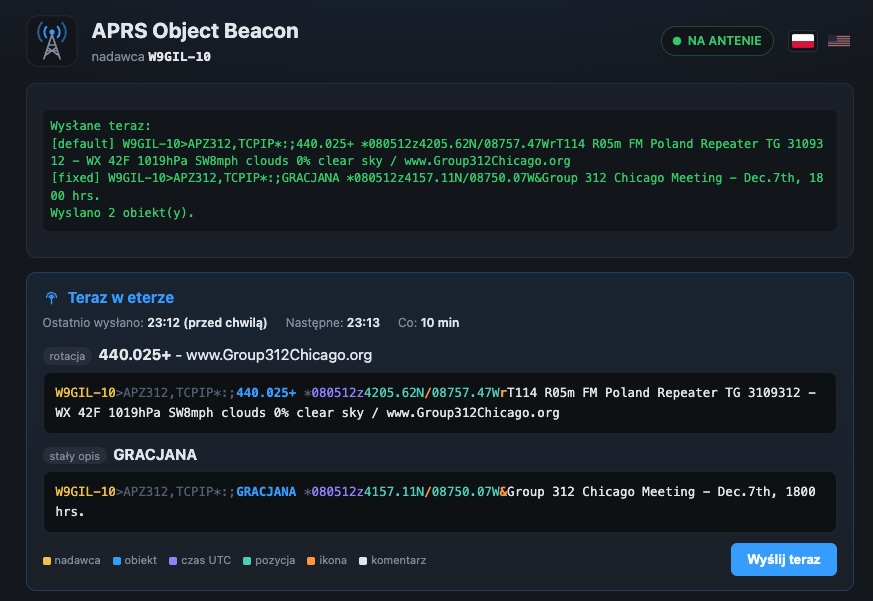
During Field Day operations, emergency communications exercises, or larger radio gatherings, having communications is only part of the equation. It's also important for everyone to know where the various operational points are located.
Where is the medical station (MEDIC), shelter (SHELTER), Net Control station, command center, or check-in point? Where is our meeting taking place, and what frequency can people use to reach us? Instead of explaining everything over the radio or sending multiple messages, we can simply place these objects directly on the APRS map.
APRS Object Beacon makes it possible to create these objects on the fly. Simply select a location, icon, name, and description, and the program publishes the object to APRS-IS.
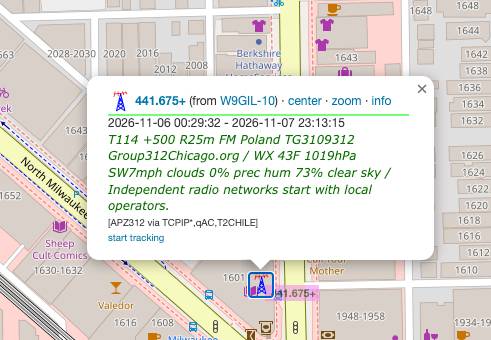
An APRS object used to display repeater information
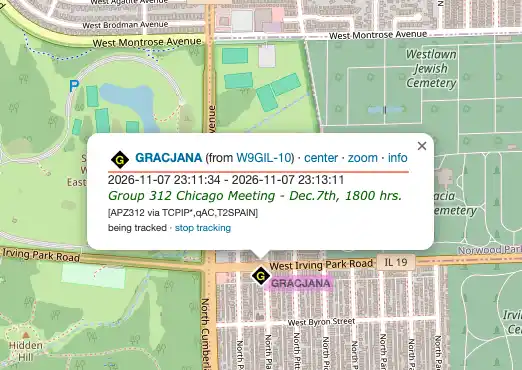
But the program isn't just useful for emergency operations. It can also be used in everyday activities to mark our monthly meetings, field outings, and other events organized by Group 312. For example, we can place our meeting location on the APRS map along with a talk-in frequency, so anyone interested in joining us knows where to find us and how to get in touch.
The program also includes several features that automate its operation. We can configure it to automatically display current weather conditions in an object's description, as well as schedule announcements that appear on a specific day, during a date range, or repeatedly at selected intervals.
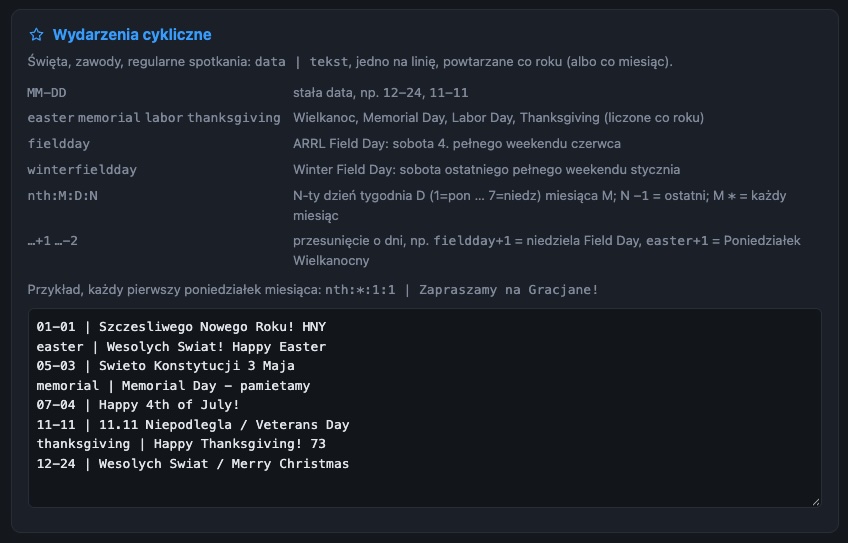
Recurring event configuration menu
The program was designed to integrate easily with existing radio infrastructure. It can run on the same Raspberry Pi that already hostsyour hotspot or repeater software. There's no need to build or purchase another device. Of course, you can also run it on a dedicated Raspberry Pi or a virtual machine (VM).
Everything is managed through a simple web interface, without the need to manually create APRS packets. Objects are automatically published and refreshed on APRS-IS.
If you're running an AllStarLink hotspot, or any other radio hotspot, you can install APRS Object Beacon directly on your existing device. No additional Raspberry Pi or separate operating system installation is required.
Log in to your hotspot and open the SSH console. Once logged in, paste the following command and press Enter:
`
curl -fsSL https://raw.githubusercontent.com/woyteg/aprs-object-beacon/main/install.sh | sudo bash
`
The installer will automatically download and configure the required files. Once installation is complete, the APRS Object Beacon web interface will be available in your browser at: http://HOTSPOT_IP_ADDRESS/aprs/
APRS Object Beacon is available as an open-source project on GitHub. Anyone can install it, customize it to their needs, and use it for local events, exercises, or EmComm activities.
For more details and the source code, visit GitHub: https://github.com/woyteg/aprs-object-beacon
73!
Wojtek, W9GIL